The launcher, apps and Back#
The launcher has Home and 16 apps on four more pages, four tiles per page. Swipe left or right between pages and tap a tile to open its app.
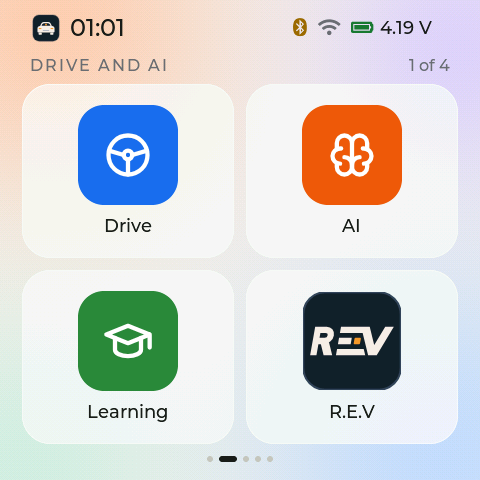
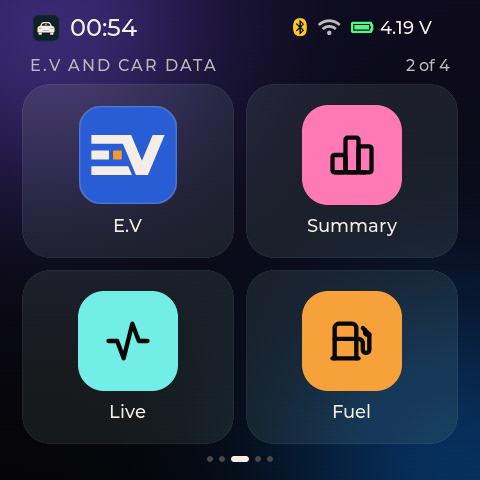
Left: Page 1 of 4, Drive and AI. Light theme. Right: Page 2 of 4, E.V and car data. Dark theme.
The pages, in the default order#
Page 1: Drive, AI, Learning, R.E.V
Page 2: E.V, Summary, Live, Fuel
Page 3: Brakes, Trip, Engine, Faults
Page 4: Board, Files, Wi-Fi, Settings
You can change the order in Settings. Every app always stays on the launcher.
Leaving an app#
Back is the round arrow at the top left. It is drawn as a 44 px circle. Its touch area is 104 px wide and reaches from the screen corner down to the first card, so a thumb from the corner always hits it.
Swipe down to leave the app.
Swipe left or right inside an app to step to the next or previous app.
Press the orange key to go to Home.
Smart swipe and Smart UI#
Two small helpers try to make the screen feel faster. Smart swipe guesses where a launcher swipe is going and gets the next picture ready. Smart UI starts building an app the moment your finger lands on its tile, instead of when it lifts. Neither one ever moves a page by itself.
Each helper measures your real use. It stays on only if it makes the screen faster, and switches itself off otherwise. In 2.0.0 one shared test in the firmware judges both helpers with the same rule. A new board, or a board that just got new firmware, has no verdict yet, so the helpers wait until they have one. Settings shows how Smart swipe’s test is going.